For a long, long time and to many, many cultures; stones, minerals, gems, rocks, flowers, plants, trees, stars; basically anything in nature has a special meaning. Here’s a chart – use it as you wish. Maybe just for fun!


For a long, long time and to many, many cultures; stones, minerals, gems, rocks, flowers, plants, trees, stars; basically anything in nature has a special meaning. Here’s a chart – use it as you wish. Maybe just for fun!
Love this article – let’s get serious. Do THIS!

You’ll learn:
Click HERE for the article and a link for a FREE budget spreadsheet to start you off – You will feel like a genius when you have your finances in order – DO IT!
The most important way to improve your drawing skills is to practice, practice, practice! Take the challenge below.

pic via pinterest
We have a list that we use – and it’s very similar to this professional looking one – Check it out!

Click HERE for the article and more camping ideas
Cute, up-cycled project to make for your summer garden.
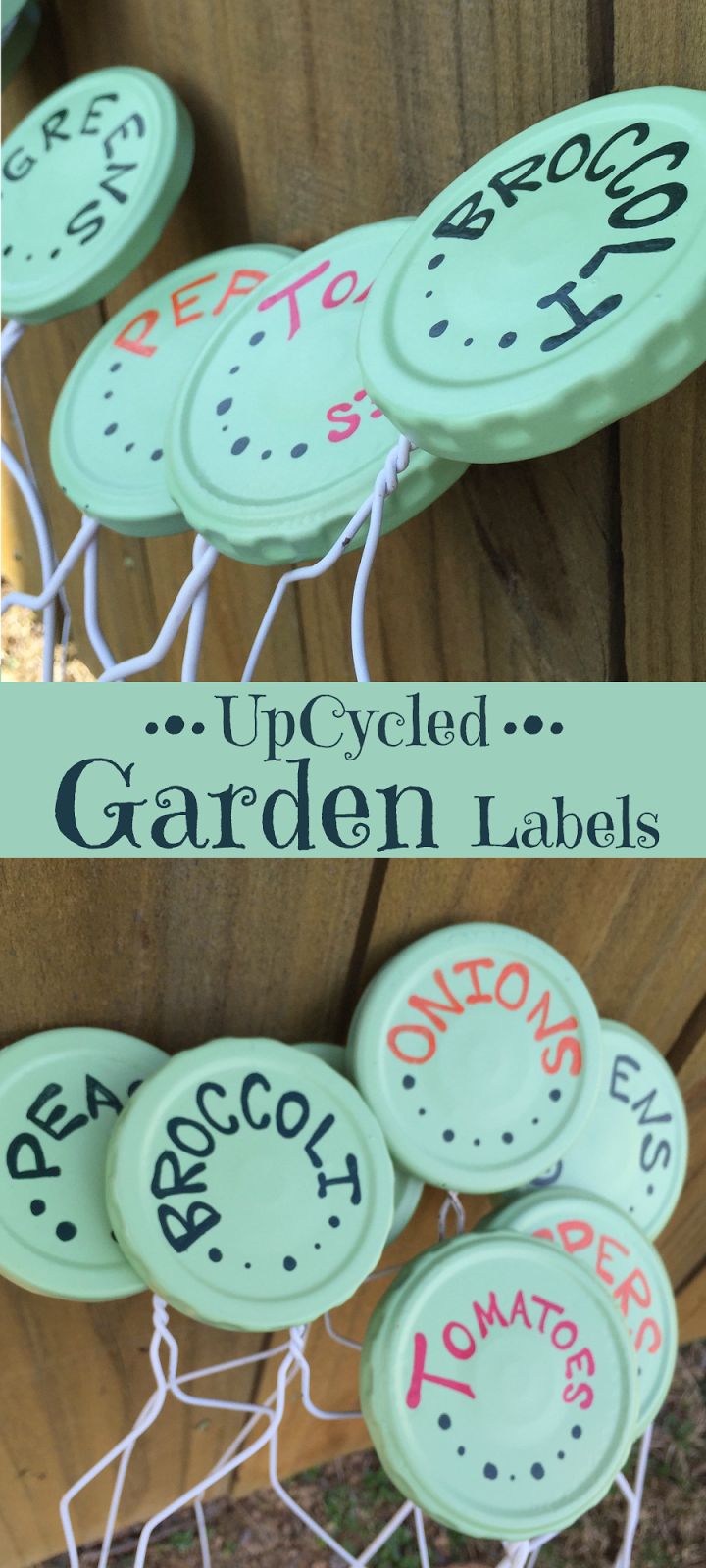
Grab a bunch of jar lids, wire hangers and paints!

Fun fact: If you send an email to james.t.kirk@gmail.com, jamesT.kirk@gmail.com, and jamestkirk@gmail.com, it’ll all go to the same place. As the Gmail help forums explain, “Gmail doesn’t recognize dots as characters within usernames, you can add or remove the dots from a Gmail address without changing the actual destination address; they’ll all go to your inbox, and only yours.” You can even see this trick in action without sending any emails: If your Gmail address is usually james.t.kirk@gmail.com, try logging in as jamestkirk@gmail.com instead. It’ll still load your inbox as you know it.


 Do It Daily